
Published:
February 18, 2026
•
8
min read
•
By
Patrick Coughlin
%20(1350x709%20px).png)
Account takeover (ATO) is a form of identity fraud in which a scammer gains unauthorized access to someone else's account — a bank account, email account, social media profile, online retailer account, or any other platform that stores personal or financial information. Once inside, the attacker can drain funds, make purchases, change login credentials to lock the real owner out, steal sensitive data, or use the account to target others.
Account takeover is not a single technique. It is an outcome — the successful unauthorized access of an account — that can be achieved through a range of methods, from automated credential-stuffing attacks to carefully constructed phone calls designed to trick a real person into handing over access.
The Federal Trade Commission reported that identity theft — of which account takeover is a major component — was the top consumer complaint category in 2024, with hundreds of thousands of reports filed. The FTC's Consumer Sentinel Network data shows that bank fraud and credit card fraud, two of the most common outcomes of ATO, together account for the majority of identity theft reports each year.
There is no single method of account takeover. Scammers use whichever approach is most effective for their target, and they often combine techniques. The following are the most common entry points.
Phishing attacks use fraudulent emails, text messages (smishing), or websites designed to look like trusted institutions. The target is directed to a fake login page and prompted to enter their username and password. The credentials are captured by the attacker, who then uses them to access the real account.
A common example: a text message that appears to come from your bank warns of suspicious activity and urges you to verify your account by clicking a link. The link leads to a page that looks identical to your bank's website. You enter your login credentials. They are stolen.
Credential stuffing is an automated attack in which large lists of stolen usernames and passwords, obtained from previous data breaches, are systematically tried against other services. Because many people reuse the same password across multiple accounts, a breach of one site can lead to account takeover on several others.
This is one reason security experts consistently advise using a unique password for every account. A single reused password, once compromised, can unlock a chain of accounts the attacker never directly targeted.
SIM swapping is a form of account takeover that begins with your phone number. The attacker contacts your mobile carrier, impersonates you using personal information gathered from data breaches or social media, and convinces the carrier to transfer your phone number to a SIM card they control.
Once they control your number, they can receive any text-based two-factor authentication codes sent to your phone — giving them a way to bypass the security layer that's supposed to protect your accounts. SIM swap attacks are especially effective against bank accounts and email accounts that use SMS-based 2FA.
Social engineering attacks manipulate people directly rather than exploiting technical vulnerabilities. In a vishing (voice phishing) attack, a scammer calls the target and impersonates a bank representative, tech support agent, or government official. The caller creates a sense of urgency and guides the target into providing their account credentials, one-time passwords, or security question answers.
These calls are often highly convincing. Scammers may already know partial account details obtained from data breaches, making them sound legitimate. Older adults are disproportionately targeted by social engineering-based account takeover because these attacks depend on trust and urgency rather than technical sophistication on the victim's part.
Malicious software installed on a device can record keystrokes, capture screenshots, or harvest stored passwords. Malware is typically delivered through phishing emails, malicious attachments, or compromised websites. Once installed, it operates silently and can collect login credentials across every account the user accesses from that device.
Account takeover often begins quietly. By the time most people realize what has happened, the attacker has already changed contact information, moved money, or used the account to further their operation. Here are two realistic scenarios that illustrate how ATO typically unfolds.
Margaret, 71, receives a call from a number that displays her bank's name on caller ID. The caller says her account has been flagged for suspicious activity and that she needs to verify her identity to prevent it from being locked. He asks her to confirm her username, then says he'll send a verification code to her phone and asks her to read it back to him.
The code is actually a password reset code sent by her real bank. By reading it back, Margaret gives the attacker everything he needs to change her password and take control of her account. Within minutes, he has transferred $4,200 to an external account.
This is a classic ATO scam. The caller ID was spoofed. Margaret's bank will never ask her to read a one-time code back over the phone.
David receives an email that looks like it's from Google, warning that his account will be suspended unless he verifies his information. He clicks the link, which leads to a convincing imitation of the Google sign-in page, and enters his email and password. The page then says everything is fine.
The attackers now control David's Gmail. They search his inbox for bank statements, account numbers, and password reset emails. They use his email to request password resets on his PayPal and Amazon accounts, which both use that email address for login or password recovery. Within a day, his PayPal balance is drained and an order is placed from his Amazon account.
Account takeover doesn't always announce itself. These are the most common signs that something has gone wrong:
If you suspect your account has been compromised, act quickly. The faster you respond, the better your chances of minimizing the damage.
If you can still log in, change your password immediately. If you cannot log in because the attacker has changed your credentials, use the account's official account recovery process — this typically involves verifying your identity through a backup email or phone number. Do not use contact information provided in any suspicious email or message; go directly to the platform's website.
If the affected account is a bank account, call your bank's fraud line immediately using the number on the back of your debit or credit card. Ask them to freeze the account, reverse any unauthorized transactions if possible, and issue new account numbers. Federal law provides protections for unauthorized transactions, but these protections are strongest when you report quickly.
Account takeover rarely stops at one account. If your email was compromised, assume attackers used it to access any accounts tied to that email address. Change the passwords on your bank, PayPal, Amazon, and any other account that uses that email for login or password recovery. Enable two-factor authentication — preferably app-based rather than SMS — on every account that offers it.
File a report with the FTC at ReportFraud.ftc.gov. If financial loss was involved, also file with the FBI's Internet Crime Complaint Center at ic3.gov. If your Social Security number was exposed or misused, place a fraud alert or credit freeze with all three credit bureaus and visit IdentityTheft.gov for a personalized recovery plan.
Check your credit reports at AnnualCreditReport.com. Look for any accounts or inquiries you don't recognize. Consider placing a credit freeze with Equifax, Experian, and TransUnion if you believe your personal information was exposed. A credit freeze is free and prevents new accounts from being opened in your name.
No security measure is perfect, but these steps significantly reduce the risk of account takeover:
Account takeover and identity theft are related but not the same. Account takeover refers specifically to gaining unauthorized access to an existing account. Identity theft is a broader term that includes using someone's personal information to open new accounts, take out loans, file fraudulent tax returns, or commit other crimes in their name.
ATO is often a pathway to identity theft. Once an attacker has access to your email or bank account, they can use the information they find there to commit broader identity fraud. An email inbox, for example, may contain Social Security numbers, tax documents, account statements, and other sensitive information that enables much more extensive fraud.
Many account takeover attempts begin with a phone call. Scammers impersonate banks, tech companies, and government agencies to pressure you into handing over account access. Before engaging with any unfamiliar caller, look up the number on Scamwise — a free tool that checks any phone number against known scam activity. It takes about 15 seconds and can help you identify a fraud attempt before it becomes an account takeover.
Check any number before you call back
Check a Number Free
Patrick Coughlin
Patrick Coughlin is a cybersecurity and technology expert with over two decades of hands-on experience at the intersection of technology, intelligence, and security. He has built teams, products and companies to protect governments and Fortune 500 enterprises from the most sophisticated cyber threats. When his mother was targeted with an AI-powered impersonation scam, the threat became personal. His debut book, Dark Side of the Boom, reveals the human cost of the growing AI-powered scam economy, explores the organized criminal networks and black-market engines that power it and offers clear-eyed strategies for how to better prepare and protect ourselves and our communities. Patrick is the co-founder and CEO of Savi Security and lives in Los Angeles with his wife, son and dog.
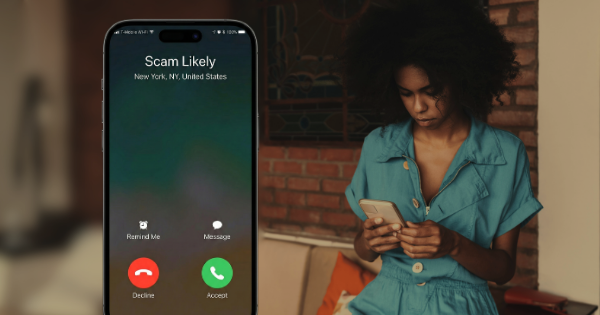
Learn how scam calls work, why caller ID spoofing makes them convincing, how scammers use AI and voice cloning, and steps to protect yourself from phone fraud.
4 min read
.png)
Caller ID spoofing lets scammers display any phone number they want on your screen using VoIP technology. Learn how phone number spoofing works, why STIR/SHAKEN isn't foolproof, and how to protect yourself from spoofed calls.
4 min read
Upload any suspicious message for a free, instant scam check.
Try Scamwise — it's free